Dynamic Port Forwarding with SSH and SOCKS Tunneling
Port forwarding is a technique that allows us to redirect a communication request from one port to another. Port forwarding uses TCP as the primary communication layer to provide interactive communication for the forwarded port.
SSH Local Port Forwarding
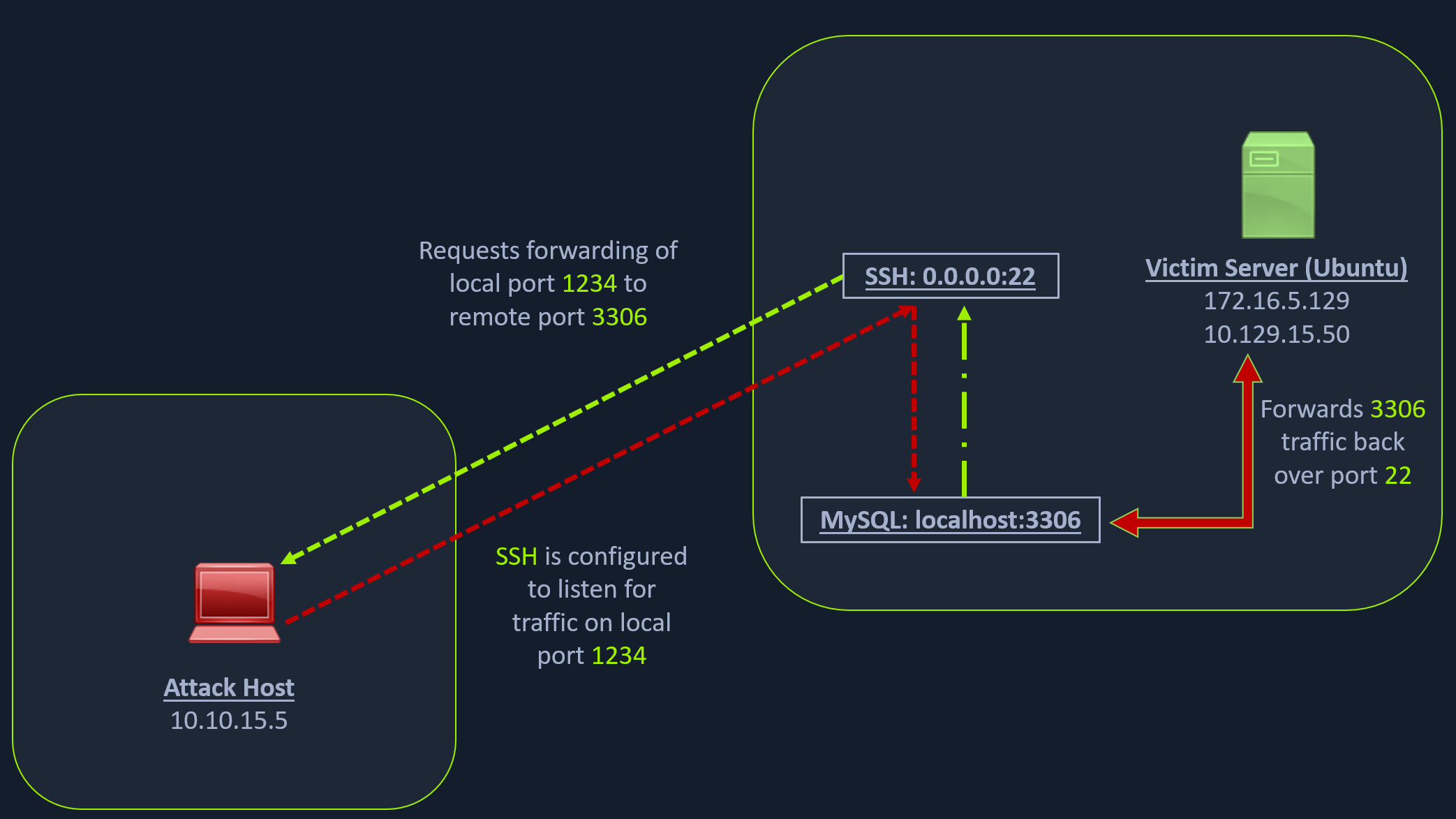
Scanning the Pivot Target
nmap -sT -p22,3306 <ip-address>Executing the Local Port Forward
ssh -L 1234:localhost:3306 ubuntu@<ip-address>Confirming Port Forward with Netstat
netstat -antp | grep 1234Confirming Port Forward with Nmap
nmap -v -sV -p1234 localhostForwarding Multiple Ports
ssh -L 1234:localhost:3306 -L 8080:localhost:80 ubuntu@<ip-address>Setting up to Pivot
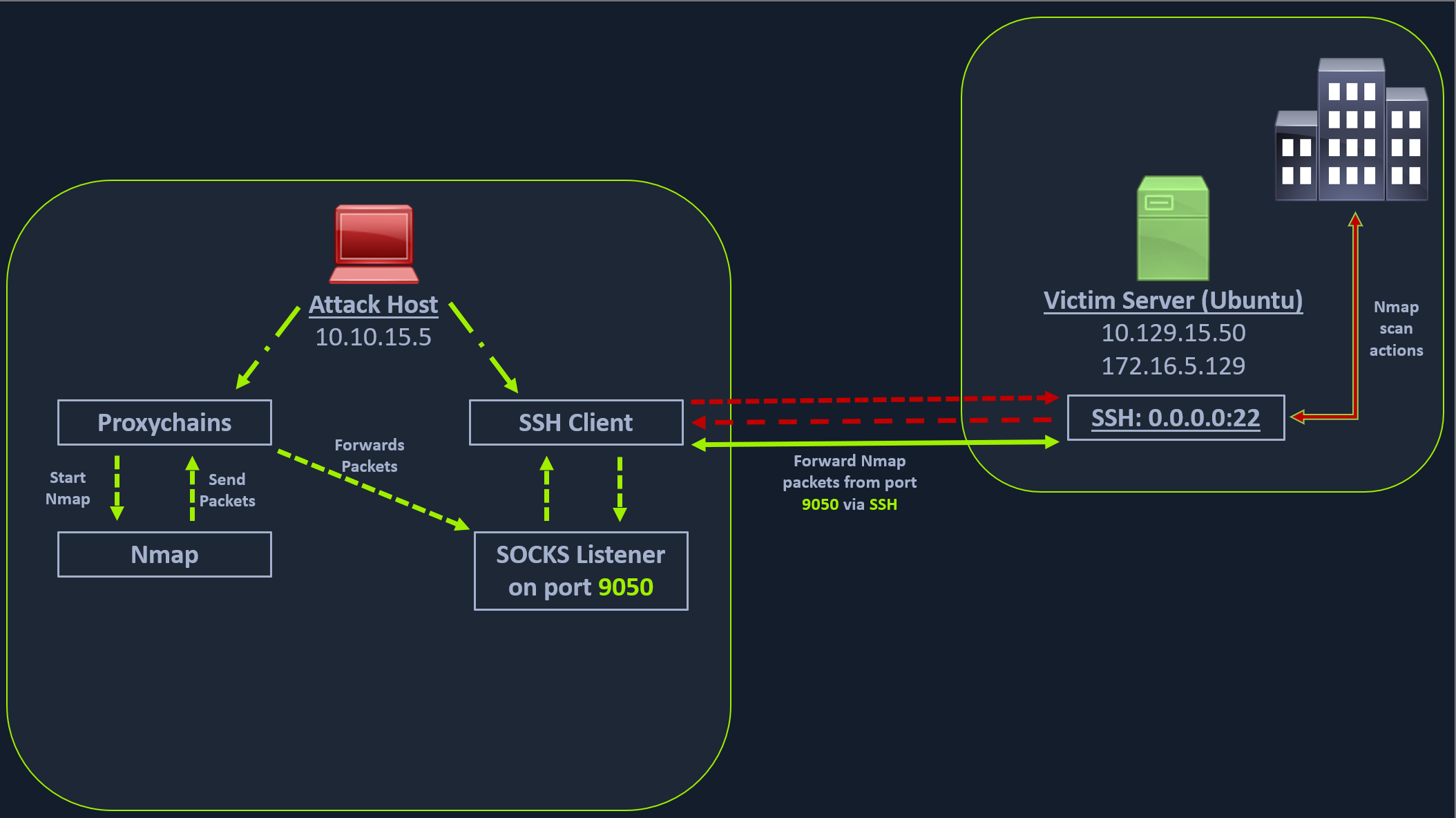
Enabling Dynamic Port Forwarding with SSH
ssh -D 9050 ubuntu@<ip-address>Once the dynamic port forwarding is enabled using SSH, we will require a tool that can route any tool’s packets over the port 9050. We can do this using the tool proxychains, which is capable of redirecting TCP connections through TOR, SOCKS, and HTTP/HTTPS proxy servers and also allows us to chain multiple proxy servers together.
Checking /etc/proxychains.conf
tail -4 /etc/proxychains.conf

# meanwile
# defaults set to "tor"
socks4 	127.0.0.1 9050
Using Nmap with Proxychains
proxychains nmap -v -sn 172.16.5.1-200This part of packing all your Nmap data using proxychains and forwarding it to a remote server is called SOCKS tunneling.
Using Metasploit with Proxychains
proxychains msfconsole