Active Directory Fundamentals
Active Directory Structure
Active Directory (AD) is a directory service for Windows network environments. It is a distributed, hierarchical structure that allows for centralized management of an organization’s resources, including users, computers, groups, network devices and file shares, group policies, servers and workstations, and trusts.
Active Directory Domain Services (AD DS) gives an organization ways to store directory data and make it available to both standard users and administrators on the same network. AD DS stores information such as usernames and passwords and manages the rights needed for authorized users to access this information.
A basic AD user account with no added privileges can be used to enumerate the majority of objects contained within AD, including but not limited to:
| Objects Enumerated by a Basic AD User | Description |
|---|---|
| Domain Computers | List and details of all computer accounts within the domain. |
| Domain Users | Information about all user accounts, including names, groups, and attributes. |
| Domain Group Information | Group names, memberships, and permissions. |
| Organizational Units (OUs) | Structure and hierarchy of OUs within the domain. |
| Default Domain Policy | View the default security and policy settings applied at the domain level. |
| Functional Domain Levels | Domain and forest functional levels that define AD features. |
| Password Policy | Current password complexity, length, and aging requirements. |
| Group Policy Objects (GPOs) | Details about all GPOs linked to OUs, sites, or domains. |
| Domain Trusts | Information about trusted and trusting domains. |
| Access Control Lists (ACLs) | Permissions applied to AD objects and security descriptors. |
Forest - It may contain one or more domains. It is the security boundary within which all objects are under administrative control.
Domain - It is a structure within which contained objects (users, computers and groups) are accessible. It has many built-in Organizational Units (OUs) such as Domain Controllers, Users, Computers , and new OUs can be created as required.
At a very (simplistic) high level, an AD structure may look as follows:
INLANEFREIGHT.LOCAL/
├── ADMIN.INLANEFREIGHT.LOCAL
│   ├── GPOs
│   └── OU
│       └── EMPLOYEES
│           ├── COMPUTERS
│           │   └── FILE01
│           ├── GROUPS
│           │   └── HQ Staff
│           └── USERS
│               └── barbara.jones
├── CORP.INLANEFREIGHT.LOCAL
└── DEV.INLANEFREIGHT.LOCAL
Active Directory Terminology
Object - ANY resource present within an Active Directory environment such as OUs, printers, users, domain controllers, etc.
Attributes - Every object in Active Directory has an associated set of attributes used to define characteristics of the given object. A computer object contains attributes such as the hostname and DNS name.
Schema - The blueprint of any enterprise environment. It defines what types of objects can exist in the AD database and their associated attributes. For example, users in AD belong to the class “user,” and computer objects to “computer,” and so on.
Domain - A domain is a logical group of objects such as computers, users, OUs, groups, etc. We can think of each domain as a different city within a state or country.
Forest - A forest is a collection of Active Directory domains. It is the topmost container and contains all of the AD objects introduced below, including but not limited to domains, users, groups, computers, and Group Policy objects.
Tree - A tree is a collection of Active Directory domains that begins at a single root domain. A forest is a collection of AD trees. Each domain in a tree shares a boundary with the other domains.
Container - Container objects hold other objects and have a defined place in the directory subtree hierarchy.
Leaf - Leaf objects do not contain other objects and are found at the end of the subtree hierarchy.
Global Unique Identifier (GUID) - A GUID is a unique 128-bit value assigned when a domain user or group is created. This GUID value is unique across the enterprise, similar to a MAC address.
Security principals - Security principals are anything that the operating system can authenticate, including users, computer accounts, or even threads/processes that run in the context of a user or computer account (i.e., an application such as Tomcat running in the context of a service account within the domain).
Security Identifier (SID) - A security identifier, or SID is used as a unique identifier for a security principal or security group. Every account, group, or process has its own unique SID, which, in an AD environment, is issued by the domain controller and stored in a secure database.
Distinguished Name (DN) - A Distinguished Name (DN) describes the full path to an object in AD (such as cn=bjones, ou=IT, ou=Employees, dc=inlanefreight, dc=local). In this example, the user bjones works in the IT department of the company Inlanefreight, and his account is created in an Organizational Unit (OU) that holds accounts for company employees.
Relative Distinguished Name (RDN) - A Relative Distinguished Name (RDN) is a single component of the Distinguished Name that identifies the object as unique from other objects at the current level in the naming hierarchy. In our example, bjones is the Relative Distinguished Name of the object.
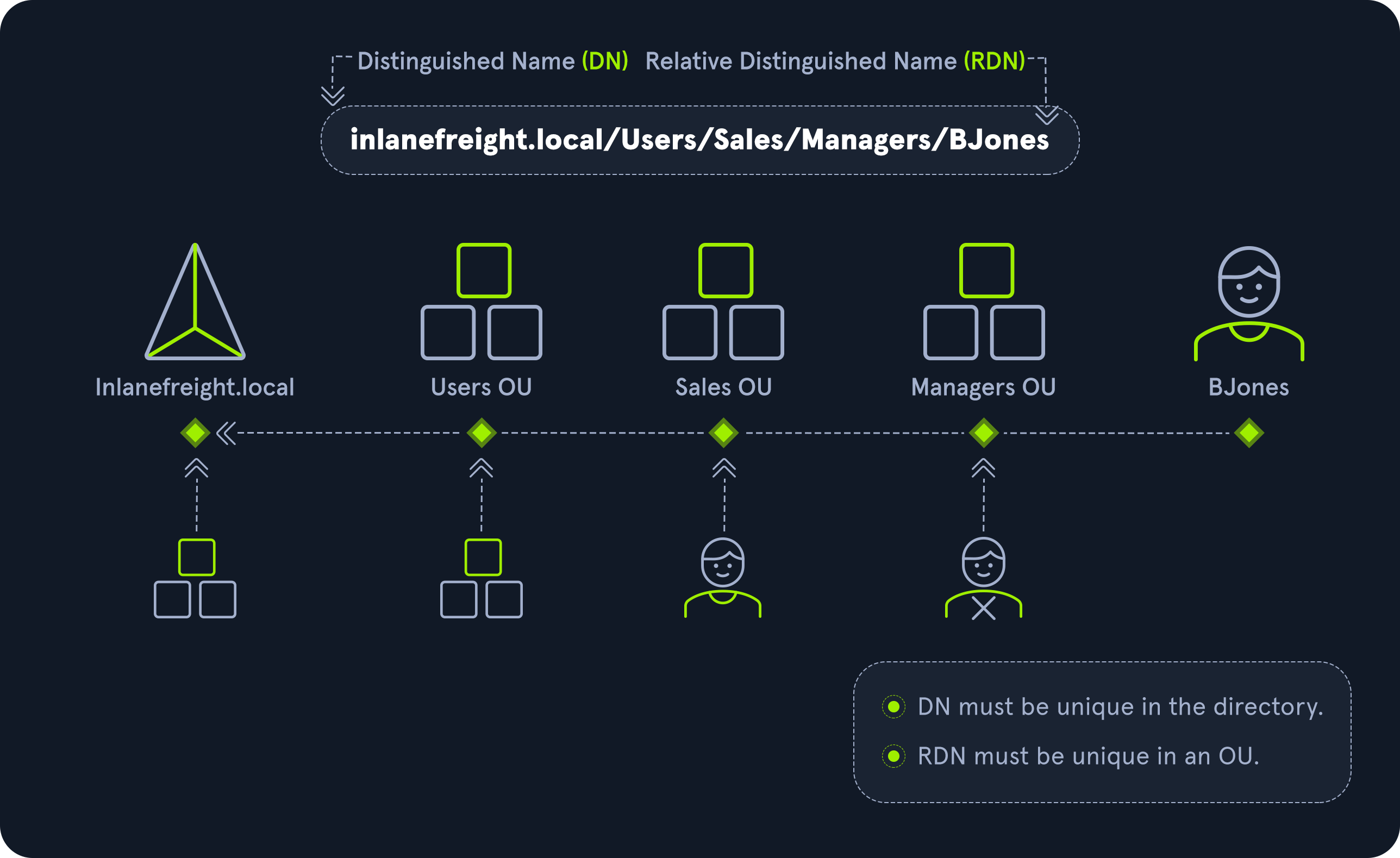
sAMAccountName - The sAMAccountName is the user’s logon name. Here it would just be bjones.
userPrincipalName - The userPrincipalName attribute is another way to identify users in AD. This attribute consists of a prefix (the user account name) and a suffix (the domain name) in the format of [email protected].
FSMO Roles - Microsoft separated the various responsibilities that a DC can have into Flexible Single Master Operation (FSMO) roles. These give Domain Controllers (DC) the ability to continue authenticating users and granting permissions without interruption (authorization and authentication). There are five FSMO roles: Schema Master and Domain Naming Master (one of each per forest), Relative ID (RID) Master (one per domain), Primary Domain Controller (PDC) Emulator (one per domain), and Infrastructure Master (one per domain). All five roles are assigned to the first DC in the forest root domain in a new AD forest.
Global Catalog - A global catalog (GC) is a domain controller that stores copies of ALL objects in an Active Directory forest. The GC stores a full copy of all objects in the current domain and a partial copy of objects that belong to other domains in the forest.
Read-Only Domain Controller (RODC) - A Read-Only Domain Controller (RODC) has a read-only Active Directory database.
Service Principal Name (SPN) - A Service Principal Name (SPN) uniquely identifies a service instance. They are used by Kerberos authentication to associate an instance of a service with a logon account, allowing a client application to request the service to authenticate an account without needing to know the account name.
Group Policy Object (GPO) - Group Policy Objects (GPOs) are virtual collections of policy settings. Each GPO has a unique GUID. A GPO can contain local file system settings or Active Directory settings.
Access Control List (ACL) - An Access Control List (ACL) is the ordered collection of Access Control Entries (ACEs) that apply to an object.
Access Control Entries (ACEs) - Each Access Control Entry (ACE) in an ACL identifies a trustee (user account, group account, or logon session) and lists the access rights that are allowed, denied, or audited for the given trustee.
Discretionary Access Control List (DACL) - DACLs define which security principals are granted or denied access to an object; it contains a list of ACEs. When a process tries to access a securable object, the system checks the ACEs in the object’s DACL to determine whether or not to grant access.
System Access Control Lists (SACL) - Allows for administrators to log access attempts that are made to secured objects. ACEs specify the types of access attempts that cause the system to generate a record in the security event log.
Fully Qualified Domain Name (FQDN) - An FQDN is the complete name for a specific computer or host. It is written with the hostname and domain name in the format [host name].[domain name].[tld]. This is used to specify an object’s location in the tree hierarchy of DNS. An example would be the host DC01 in the domain INLANEFREIGHT.LOCAL. The FQDN here would be DC01.INLANEFREIGHT.LOCAL.
Tombstone - A tombstone is a container object in AD that holds deleted AD objects.
SYSVOL - The SYSVOL folder, or share, stores copies of public files in the domain such as system policies, Group Policy settings, logon/logoff scripts, and often contains other types of scripts that are executed to perform various tasks in the AD environment.
Active Directory Users and Computers (ADUC) - ADUC is a GUI console commonly used for managing users, groups, computers, and contacts in AD. Changes made in ADUC can be done via PowerShell as well.
ADSI Edit - ADSI Edit is a GUI tool used to manage objects in AD.
NTDS.DIT - The NTDS.DIT file can be considered the heart of Active Directory. It is stored on a Domain Controller at C:\Windows\NTDS\ and is a database that stores AD data such as information about user and group objects, group membership, and, most important to attackers and penetration testers, the password hashes for all users in the domain.
MSBROWSE - MSBROWSE is a Microsoft networking protocol that was used in early versions of Windows-based local area networks (LANs) to provide browsing services. It was used to maintain a list of resources, such as shared printers and files, that were available on the network, and to allow users to easily browse and access these resources.
In older version of Windows we could use nbtstat -A ip-address to search for the Master Browser.
Active Directory Objects
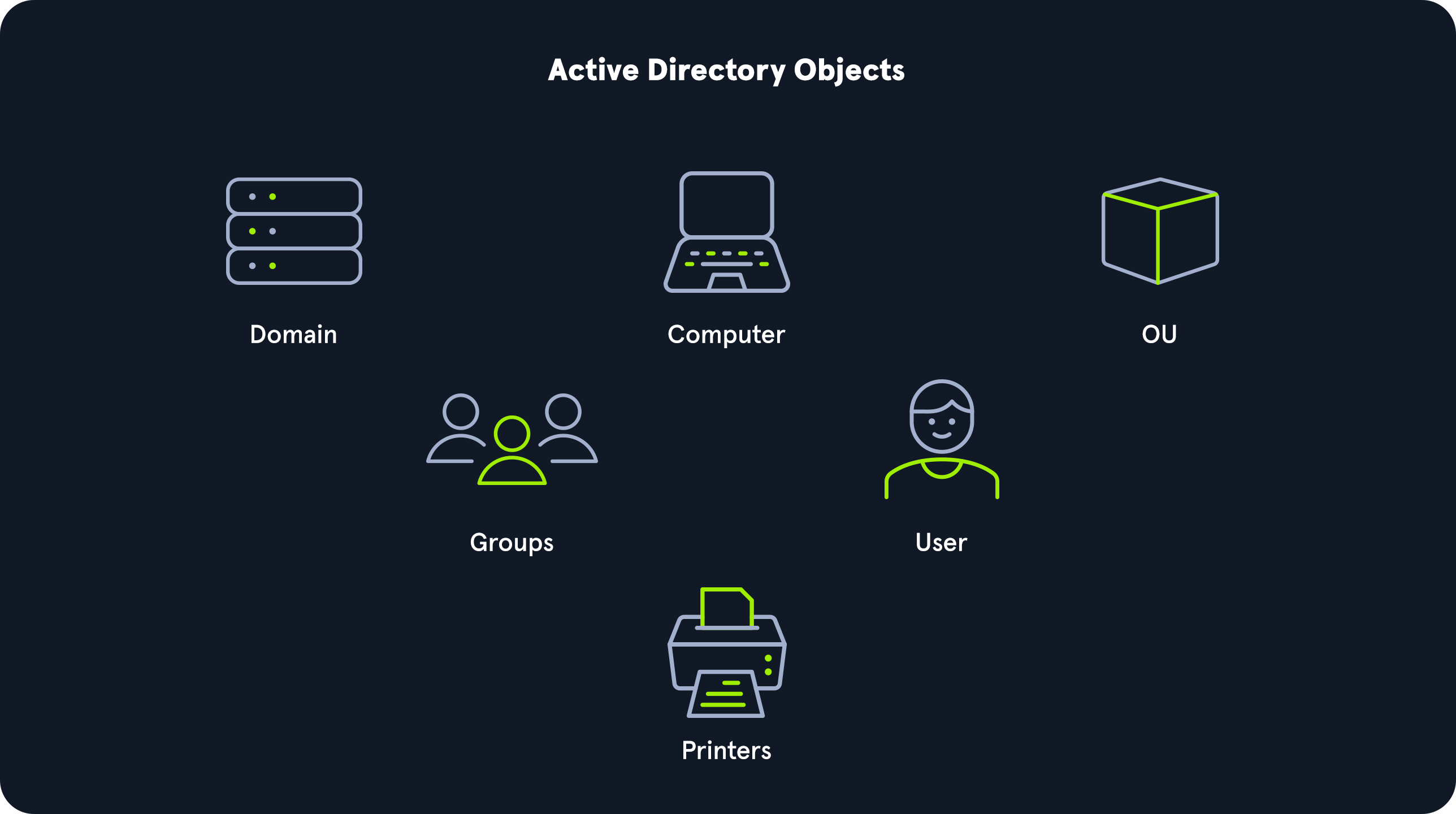
Users - Users are considered leaf objects, which means that they cannot contain any other objects within them. A user object is considered a security principal and has a security identifier (SID) and a global unique identifier (GUID). User objects have many possible attributes, such as their display name, last login time, date of last password change, email address, account description, manager, address, and more.
Contacts - A contact object is usually used to represent an external user and contains informational attributes such as first name, last name, email address, telephone number, etc. They are leaf objects and are NOT security principals (securable objects), so they don’t have a SID, only a GUID.
Printers - A printer object points to a printer accessible within the AD network. Like a contact, a printer is a leaf object and not a security principal, so it only has a GUID. Printers have attributes such as the printer’s name, driver information, port number, etc.
Computers - A computer object is any computer joined to the AD network (workstation or server). Computers are leaf objects because they do not contain other objects. However, they are considered security principals and have a SID and a GUID.
Groups - A group is considered a container object because it can contain other objects, including users, computers, and even other groups. A group is regarded as a security principal and has a SID and a GUID.
Organizational Units (OUs) - An organizational unit, or OU from here on out, is a container that systems administrators can use to store similar objects for ease of administration. OUs are often used for administrative delegation of tasks without granting a user account full administrative rights. For example, we may have a top-level OU called Employees and then child OUs under it for the various departments such as Marketing, HR, Finance, Help Desk, etc.
Domain - A domain is the structure of an AD network. Domains contain objects such as users and computers, which are organized into container objects: groups and OUs.
Domain Controllers - Domain Controllers are essentially the brains of an AD network. They handle authentication requests, verify users on the network, and control who can access the various resources in the domain. All access requests are validated via the domain controller and privileged access requests are based on predetermined roles assigned to users. It also enforces security policies and stores information about every other object in the domain.
Sites - A site in AD is a set of computers across one or more subnets connected using high-speed links. They are used to make replication across domain controllers run efficiently.
Built-in - In AD, built-in is a container that holds default groups in an AD domain. They are predefined when an AD domain is created.
Foreign Security Principals - A foreign security principal (FSP) is an object created in AD to represent a security principal that belongs to a trusted external forest. They are created when an object such as a user, group, or computer from an external (outside of the current) forest is added to a group in the current domain.
Active Directory Functionality
As mentioned before, there are five Flexible Single Master Operation (FSMO) roles. These roles can be defined as follows:
| Role | Description |
|---|---|
| Schema Master | This role manages the read/write copy of the AD schema, which defines all attributes that can apply to an object in AD. |
| Domain Naming Master | Manages domain names and ensures that two domains of the same name are not created in the same forest. |
| Relative ID (RID) Master | The RID Master assigns blocks of RIDs to other DCs within the domain that can be used for new objects. The RID Master helps ensure that multiple objects are not assigned the same SID. Domain object SIDs are the domain SID combined with the RID number assigned to the object to make the unique SID. |
| PDC Emulator | The host with this role would be the authoritative DC in the domain and respond to authentication requests, password changes, and manage Group Policy Objects (GPOs). The PDC Emulator also maintains time within the domain. |
| Infrastructure Master | This role translates GUIDs, SIDs, and DNs between domains. This role is used in organizations with multiple domains in a single forest. The Infrastructure Master helps them to communicate. If this role is not functioning properly, Access Control Lists (ACLs) will show SIDs instead of fully resolved names. |
Domain and Forest Functional Levels
| Domain Functional Level | Features Available | Supported Domain Controller Operating Systems |
|---|---|---|
| Windows 2000 native | Universal groups for distribution and security groups, group nesting, group conversion (between security and distribution groups), SID history. | Windows Server 2008 R2, Windows Server 2008, Windows Server 2003, Windows 2000 |
| Windows Server 2003 | Netdom.exe domain management tool, lastLogonTimestamp attribute introduced, well-known users and computers containers, constrained delegation, selective authentication. | Windows Server 2012 R2, Windows Server 2012, Windows Server 2008 R2, Windows Server 2008, Windows Server 2003 |
| Windows Server 2008 | Distributed File System (DFS) replication support, Advanced Encryption Standard (AES 128 and AES 256) support for the Kerberos protocol, Fine-grained password policies. | Windows Server 2012 R2, Windows Server 2012, Windows Server 2008 R2, Windows Server 2008 |
| Windows Server 2008 R2 | Authentication mechanism assurance, Managed Service Accounts. | Windows Server 2012 R2, Windows Server 2012, Windows Server 2008 R2 |
| Windows Server 2012 | KDC support for claims, compound authentication, and Kerberos armoring. | Windows Server 2012 R2, Windows Server 2012 |
| Windows Server 2012 R2 | Extra protections for members of the Protected Users group, Authentication Policies, Authentication Policy Silos. | Windows Server 2012 R2 |
| Windows Server 2016 | Smart card required for interactive logon, new Kerberos features, and new credential protection features. | Windows Server 2019, Windows Server 2016 |
Trusts
A trust is used to establish forest-forest or domain-domain authentication, allowing users to access resources in (or administer) another domain outside of the domain their account resides in. A trust creates a link between the authentication systems of two domains.
| Trust Type | Description |
|---|---|
| Parent-Child | Domains within the same forest. The child domain has a two-way transitive trust with the parent domain. |
| Cross-Link | A trust between child domains to speed up authentication. |
| External | A non-transitive trust between two separate domains in different forests that are not already joined by a forest trust. This type of trust uses SID filtering. |
| Tree-Root | A two-way transitive trust between a forest root domain and a new tree root domain. Automatically created when a new tree root domain is set up within a forest. |
| Forest | A transitive trust between two forest root domains. |