Initial Enumeration
External Recon and Enumeration Principles
What Are We Looking?
| Data Point | Description |
|---|---|
| IP Space | ASN and netblocks owned/used by the target, public-facing IP ranges, cloud providers and hosting, DNS records, and related infrastructure. |
| Domain Information | Domain ownership and admin details, subdomains, public-facing services (mail, DNS, websites, VPN), and observable defenses (SIEM, AV, IDS/IPS). |
| Schema Format | Information that reveals email formats, AD username patterns, password policy hints — useful for building valid username lists for spraying/credential-stuffing. |
| Data Disclosures | Publicly accessible documents (PDF, PPT, DOCX, XLSX, repos) that expose internal sites, user metadata, shares, or credentials (e.g., PDF metadata, exposed GitHub secrets). |
| Breach Data | Any leaked or published usernames, passwords, or other credentials and sensitive data that could be reused to gain access. |
Where Are We Looking?
| Resource | Examples / Notes |
|---|---|
| ASN / IP registrars | IANA, ARIN (Americas), RIPE (Europe), BGP Toolkit — lookup netblocks and origin ASNs. |
| Domain Registrars & DNS | DomainTools, PTRArchive, ICANN WHOIS, DNS queries (e.g., against 8.8.8.8) — registrar and record history. |
| Social Media | LinkedIn, X (Twitter), Facebook, regional platforms, news sites — people, org structure, tooling hints. |
| Public-Facing Company Websites | Corporate site — press, careers, contact pages, embedded docs (PDFs, whitepapers). |
| Cloud & Dev Storage | GitHub, public S3/Azure/Google storage, code search (Google dorks) — leaked configs, keys, repos. |
| Breach Data Sources | HaveIBeenPwned, Dehashed — leaked emails, passwords, or hashes for reuse or cracking. |
Finding Address Spaces
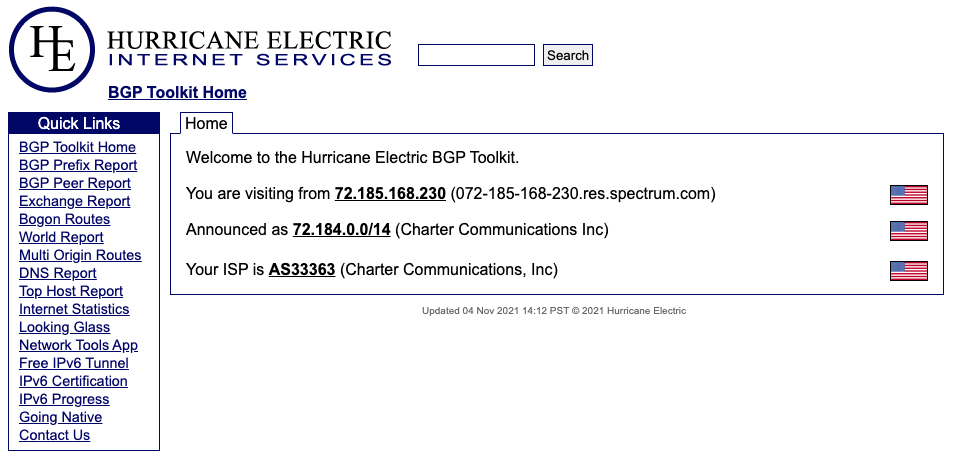
The BGP-Toolkit hosted by Hurricane Electric is a fantastic resource for researching what address blocks are assigned to an organization and what ASN they reside within.
DNS
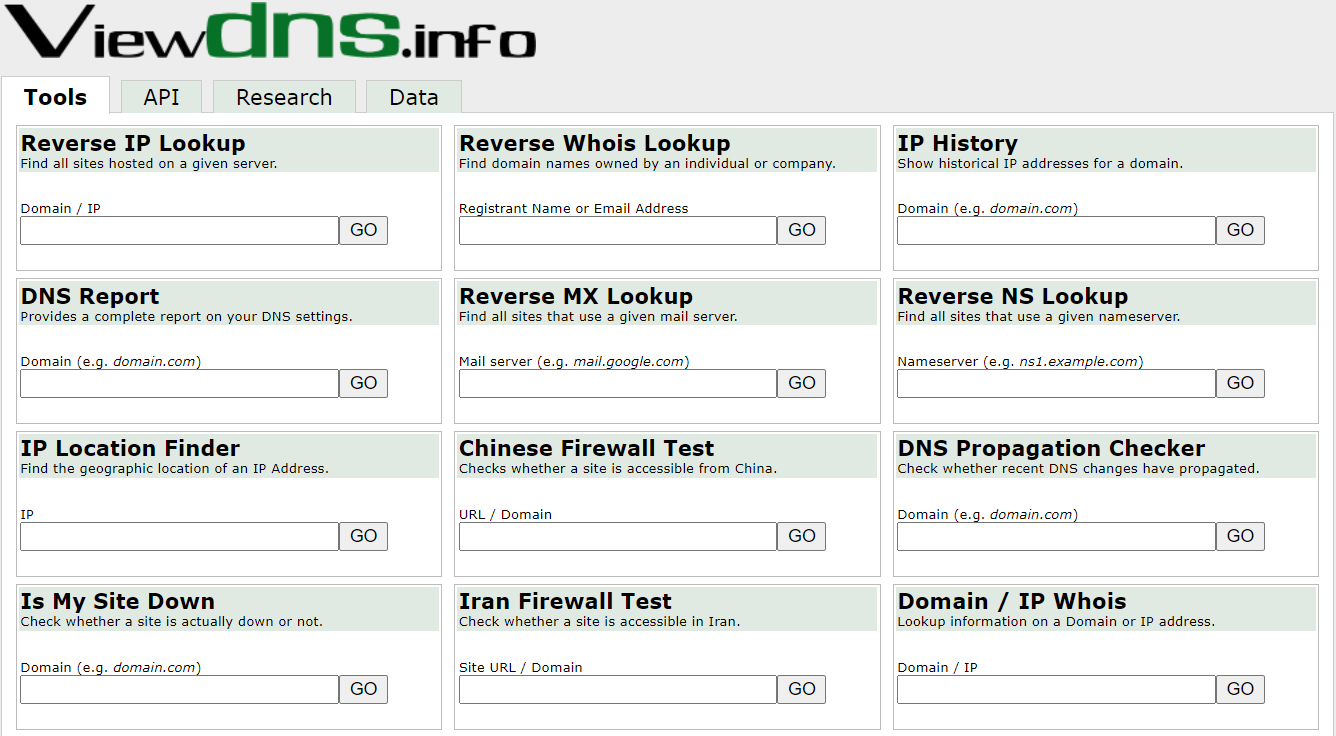
DNS is a great way to validate our scope and find out about reachable hosts the customer did not disclose in their scoping document. Sites like domaintools, and viewdns.info are great spots to start.
Viewdns.info
Public Data
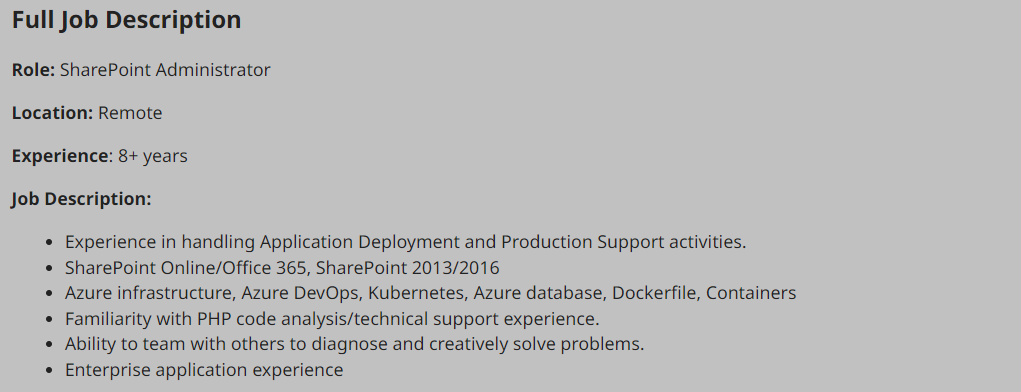
Social media can be a treasure trove of interesting data that can clue us in to how the organization is structured, what kind of equipment they operate, potential software and security implementations, their schema, and more. On top of that list are job-related sites like LinkedIn, Indeed.com, and Glassdoor.
Sharepoint Admin Job Listing
Tools like Trufflehog and sites like Greyhat Warfare are fantastic resources for finding these breadcrumbs.
Example Enumeration Process
Check for ASN/IP & Domain Data
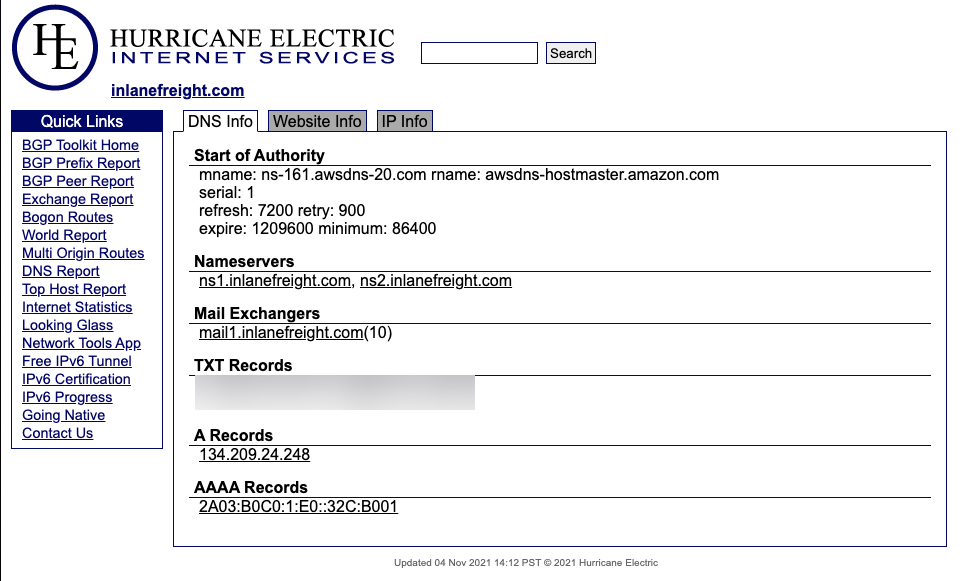
Viewdns Results
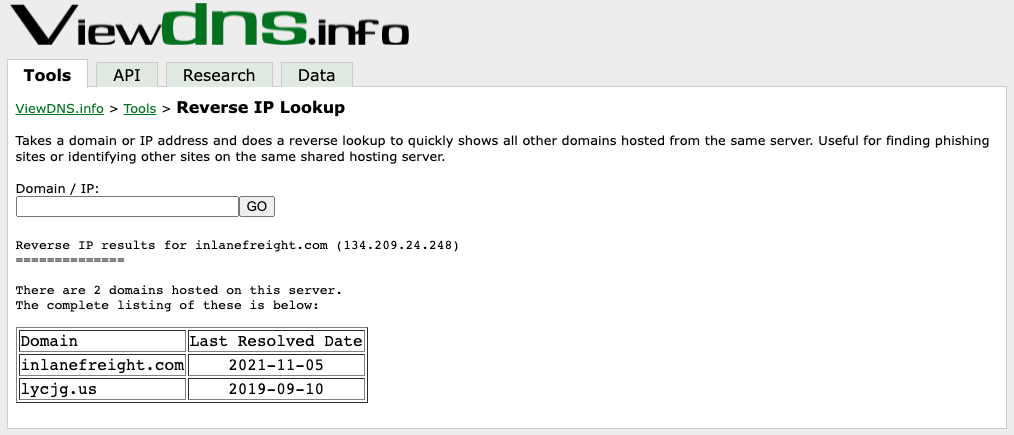
samzz@htb[/htb]$ nslookup ns1.inlanefreight.com

Server:		192.168.186.1
Address:	192.168.186.1#53

Non-authoritative answer:
Name:	ns1.inlanefreight.com
Address: 178.128.39.165

nslookup ns2.inlanefreight.com
Server:		192.168.86.1
Address:	192.168.86.1#53

Non-authoritative answer:
Name:	ns2.inlanefreight.com
Address: 206.189.119.186
Hunting For Files
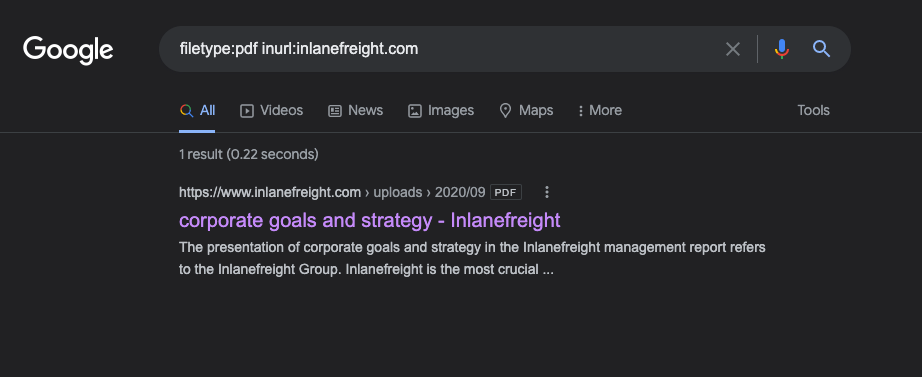
Hunting E-mail Addresses
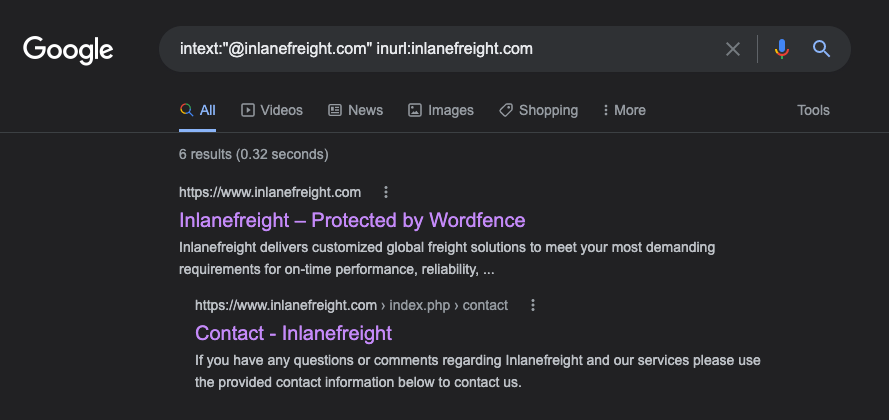
E-mail Dork Results
Browsing the contact page, we can see several emails for staff in different offices around the globe.
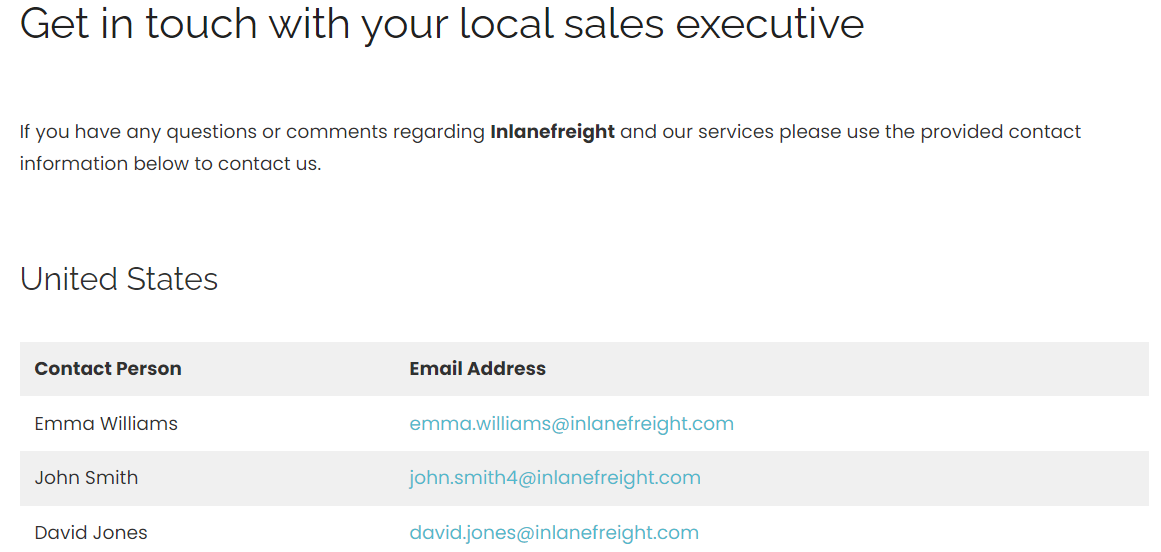
Username Harvesting
We can use a tool such as linkedin2username to scrape data from a company’s LinkedIn page and create various mashups of usernames (flast, first.last, f.last, etc.) that can be added to our list of potential password spraying targets.
Credential Hunting
Dehashed is an excellent tool for hunting for cleartext credentials and password hashes in breach data.
samzz@htb[/htb]$ sudo python3 dehashed.py -q inlanefreight.local -p

id : 5996447501
email : [email protected]
username : rgrimes
password : Ilovefishing!
hashed_password :
name : Roger Grimes
vin :
address :
phone :
database_name : ModBSolutions

id : 7344467234
email : [email protected]
username : jyu
password : Starlight1982_!
hashed_password :
name : Jane Yu
vin :
address :
phone :
database_name : MyFitnessPal

<SNIP>
Here you can found the script used above.
Initial Enumeration of the Domain
TTPs
Here’s the same TTPs condensed into one clear paragraph:
Plan the work, then start quietly—collect public info like IPs, domains, and leaked files—before you touch the target. Next, validate what’s alive (which hosts and services respond), then probe those hosts to pull useful directory details. Stop, sort what you found, and pick the best targets to focus on; if you get credentials, use them to dig deeper and confirm attack paths. Repeat the cycle, document commands and findings, and keep the scope tight.
Identifying Hosts
First, let’s take some time to listen to the network and see what’s going on. We can use Wireshark and TCPDump to “put our ear to the wire” and see what hosts and types of network traffic we can capture.
This is particularly helpful if the assessment approach is “black box.” We notice some ARP requests and replies, MDNS, and other basic layer two packets.
Start Wireshark on ea-attack01
sudo -E wireshark

11:28:20.487     Main Warn QStandardPaths: runtime directory '/run/user/1001' is not owned by UID 0, but a directory permissions 0700 owned by UID 1001 GID 1002
<SNIP>
Wireshark Output
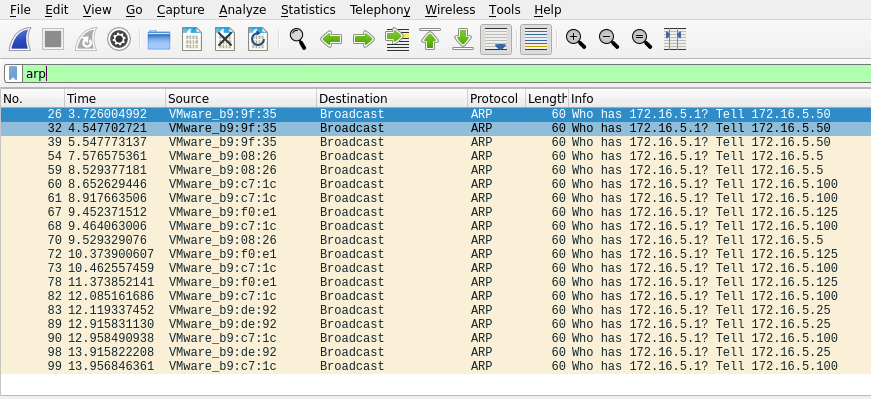
ARP packets make us aware of the hosts: 172.16.5.5, 172.16.5.25 172.16.5.50, 172.16.5.100, and 172.16.5.125.
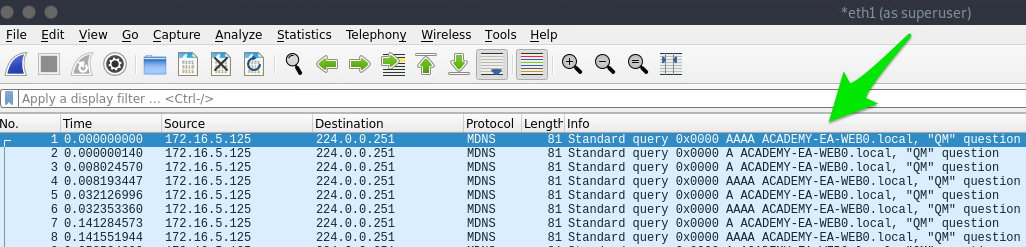
MDNS makes us aware of the ACADEMY-EA-WEB01 host.
If we are on a host without a GUI (which is typical), we can use tcpdump, net-creds, and NetMiner, etc., to perform the same functions.
Tcpdump Output
samzz@htb[/htb]$ sudo tcpdump -i ens224 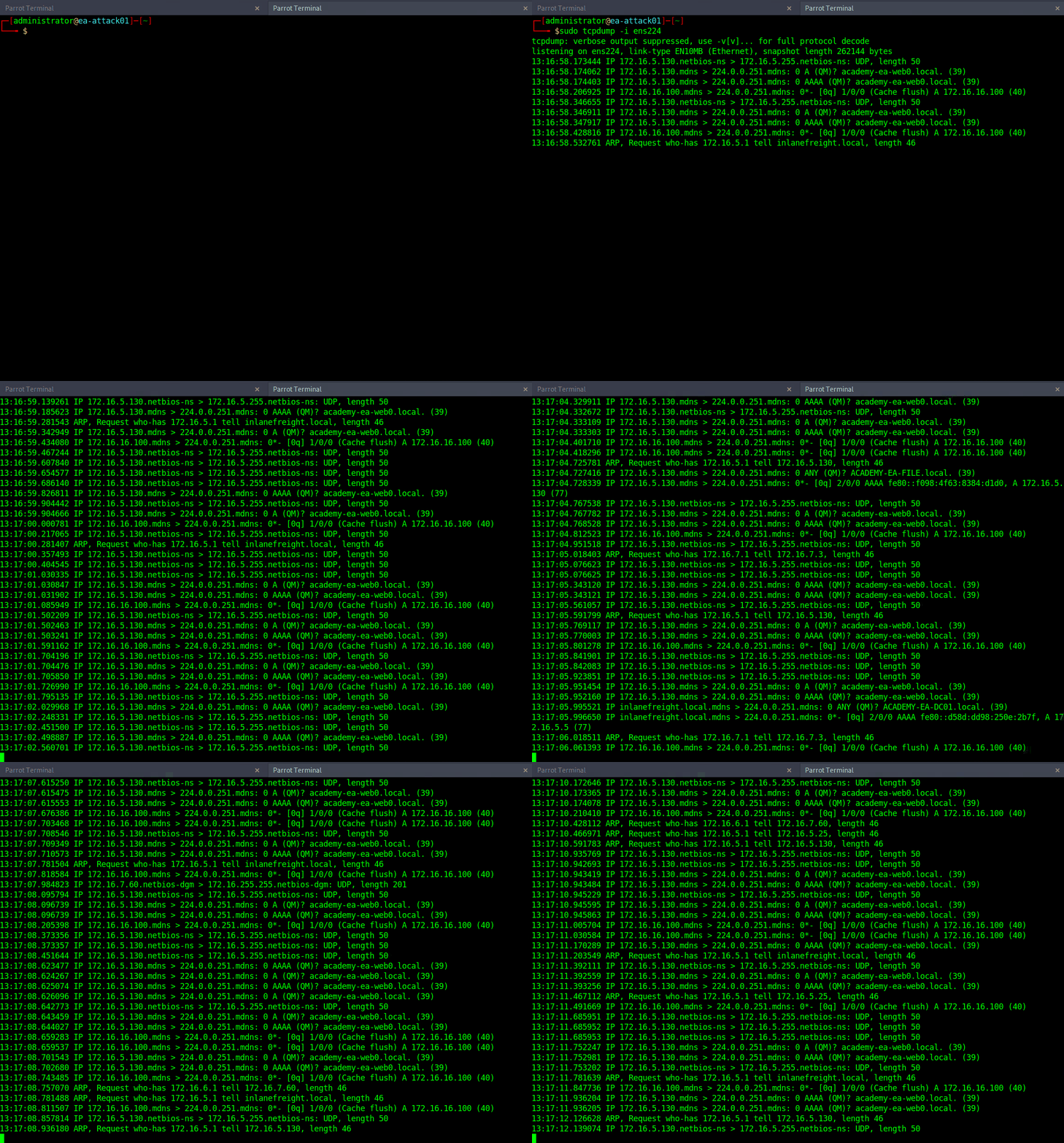
Our first look at network traffic pointed us to a couple of hosts via MDNS and ARP. Now let’s utilize a tool called Responder to analyze network traffic and determine if anything else in the domain pops up.
Responder
Responder is a tool built to listen, analyze, and poison LLMNR, NBT-NS, and MDNS requests and responses. It has many more functions, but for now, all we are utilizing is the tool in its Analyze mode. This will passively listen to the network and not send any poisoned packets.
sudo responder -I ens224 -A Responder Results
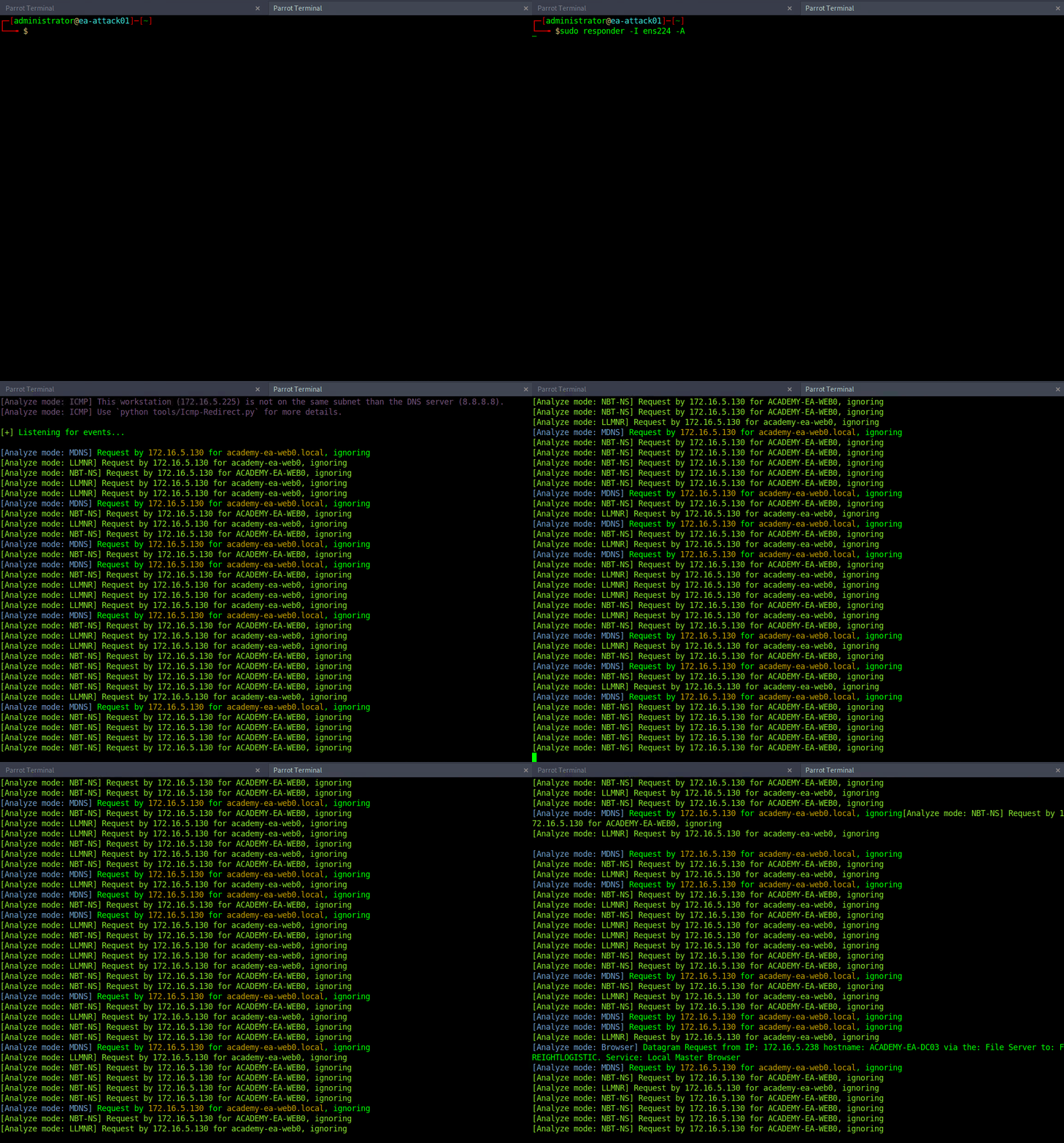
Now let’s perform some active checks starting with a quick ICMP sweep of the subnet using fping.
Fping
Fping provides us with a similar capability as the standard ping application in that it utilizes ICMP requests and replies to reach out and interact with a host. Where fping shines is in its ability to issue ICMP packets against a list of multiple hosts at once and its scriptability.
FPing Active Checks
samzz@htb[/htb]$ fping -asgq 172.16.5.0/23

172.16.5.5
172.16.5.25
172.16.5.50
172.16.5.100
172.16.5.125
172.16.5.200
172.16.5.225
172.16.5.238
172.16.5.240
Nmap Scanning
sudo nmap -v -A -iL hosts.txt -oN filenameKerbrute - Internal AD Username Enumeration
Kerbrute can be a stealthier option for domain account enumeration. It takes advantage of the fact that Kerberos pre-authentication failures often will not trigger logs or alerts. We will use Kerbrute in conjunction with the jsmith.txt or jsmith2.txt user lists from Insidetrust. This repository contains many different user lists that can be extremely useful when attempting to enumerate users when starting from an unauthenticated perspective.
To get started with Kerbrute, we can download precompiled binaries for the tool for testing from Linux, Windows, and Mac, or we can compile it ourselves.
Enumerating Users with Kerbrute
samzz@htb[/htb]$ kerbrute userenum -d INLANEFREIGHT.LOCAL --dc 172.16.5.5 jsmith.txt -o valid_ad_users

2021/11/17 23:01:46 >  Using KDC(s):
2021/11/17 23:01:46 >   172.16.5.5:88
2021/11/17 23:01:46 >  [+] VALID USERNAME:       [email protected]
2021/11/17 23:01:46 >  [+] VALID USERNAME:       [email protected]
2021/11/17 23:01:46 >  [+] VALID USERNAME:       [email protected]
2021/11/17 23:01:50 >  [+] VALID USERNAME:       [email protected]

 <SNIP>

2021/11/17 23:01:51 >  [+] VALID USERNAME:       [email protected]
2021/11/17 23:01:51 >  [+] VALID USERNAME:       [email protected]
2021/11/17 23:01:51 >  [+] VALID USERNAME:       [email protected]
2021/11/17 23:01:51 >  [+] VALID USERNAME:       [email protected]
2021/11/17 23:01:51 >  [+] VALID USERNAME:       [email protected]
2021/11/17 23:01:52 >  [+] VALID USERNAME:       [email protected]
2021/11/17 23:01:56 >  Done! Tested 48705 usernames (56 valid) in 9.940 seconds